
What Is a Court Docket in Major County
A docket is the official, time-ordered log of everything that happens in a case. Each line, called a docket entry, records one action and the date it took place. A Major County docket can list the original petition or charge, every motion, each hearing date, orders signed by the judge, continuances, payments, warrants, and the final disposition. The docket is built and kept by the Court Clerk, who is the custodian of the records, files, and proceedings of the District Court. Because the entries are dated and numbered, the docket reads like a timeline of the case from the day it opened.
A docket is not the same thing as the full case file. The docket tells you that a motion was filed or an order was signed, while the full file holds the actual document behind that entry. Most Major County cases run through the District Court, the general-jurisdiction trial court that hears civil, criminal, family, probate, small-claims, and traffic matters in Fairview. Municipal violations issued by a city or town are a separate track and may not appear on the state district-court docket at all, so the citation itself or the issuing town remains the routing source for those tickets.
How to Find Major County Dockets Online
Two free statewide systems carry Major County docket information. The Oklahoma State Courts Network, known as OSCN, is the judiciary's own site and lists Major County District Court in its court dropdown. On Demand Court Records, or ODCR, is the second path, and it is the system the Major County Court Clerk links from its own office page. Both let you search by party name or by case number and then open the full docket for a matter. Start with ODCR when the clerk's office is your reference point, and use OSCN when you want the daily report tools described further below.
The OSCN court-records landing page is the gateway to docket search, the case-number lookup, and the district-court reports. You can preview the layout on the OSCN court records and docket search page before running a query.
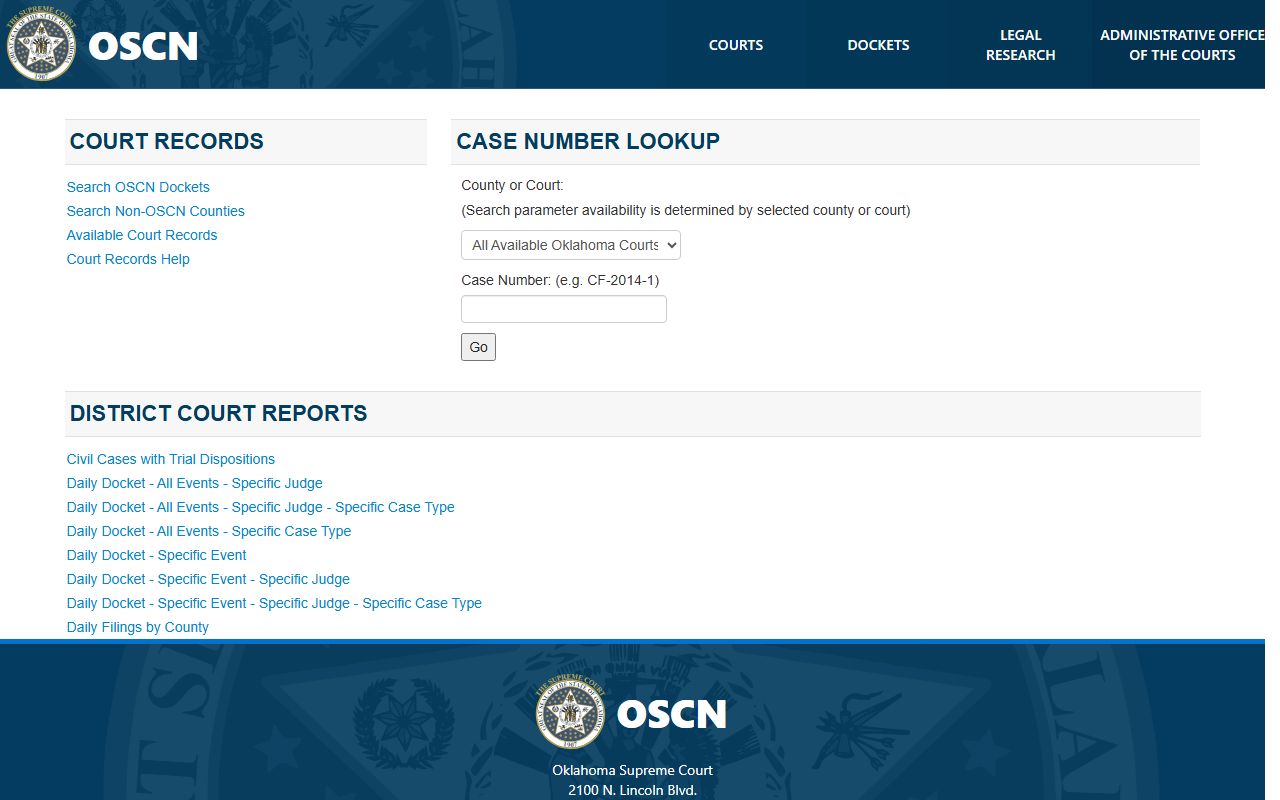
That screen shows the County or Court dropdown, the case-number field, and the Search OSCN Dockets and Search Non-OSCN Counties links, which is where a Major County docket lookup begins. The basic search runs in a few steps.
- Open ODCR or OSCN and choose the search path. In ODCR, select Oklahoma District Courts or All Courts; in OSCN, pick Major County District Court from the County or Court dropdown.
- Decide how to search. Enter a party name in Last, First order, or type the case number if you already have it.
- Add a case type only if you know the category, such as criminal, family, probate, small claims, or traffic. Leaving it broad returns more results.
- Open the matching case and read the docket. Confirm the county, case type, filing date, and parties in the header before you rely on any entry.
Systems That Publish Major County Dockets
Major County dockets reach the public through three channels, and a complete search uses more than one. OSCN and ODCR carry the online dockets, while the Court Clerk handles certified copies, older files, and records that are not fully online. ODCR states that it provides free, unlimited searching across the public court records that participating courts publish, including partial-name searches, case-number searches, filed-date range searches, and full docket information. Scanned document images sit behind a paid wall, but the docket text itself is free to read.
The ODCR search screen is the practical starting point for many Major County users because the Court Clerk points directly to it. You can see its court, party-name, and case-type filters on the ODCR court search interface.
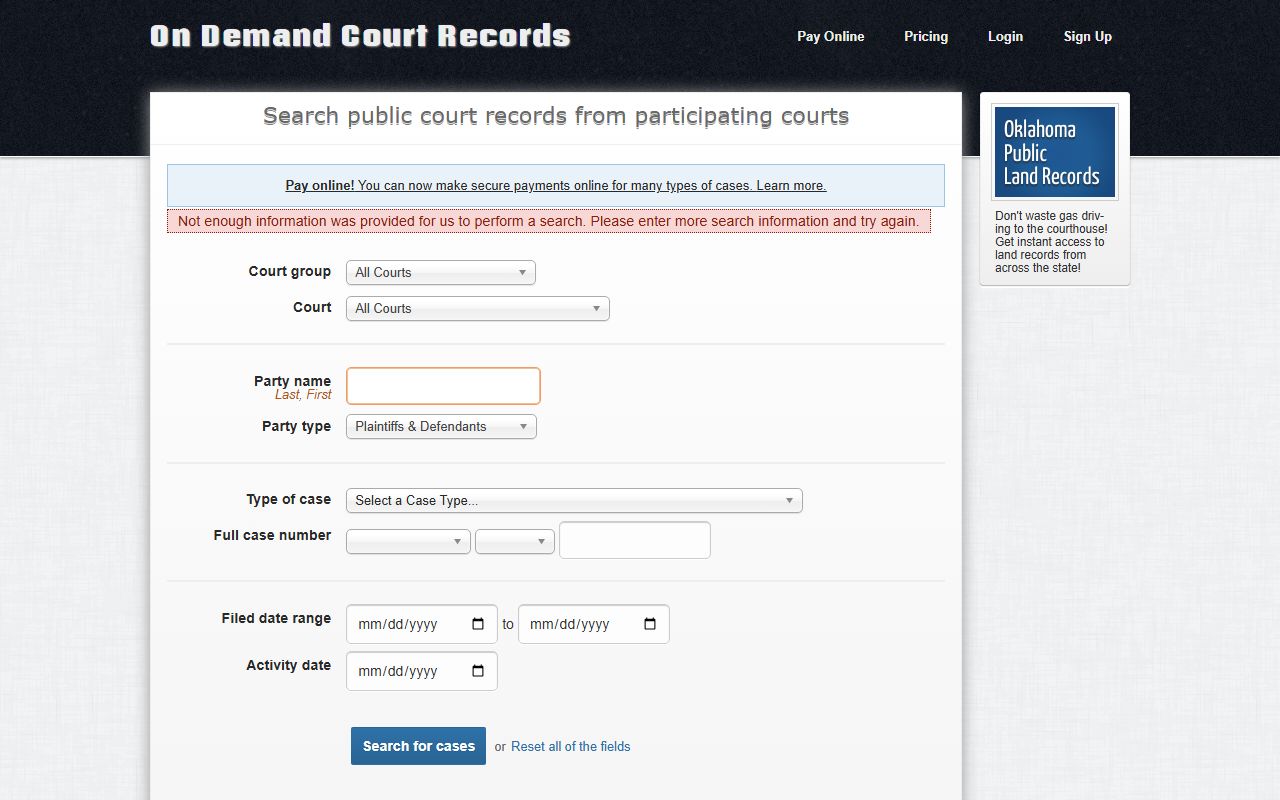
That interface lets you set the court group, choose Major from the court list, enter a party name, and pick from case types such as felony, misdemeanor, family and domestic, probate, small claims, and traffic. The three channels break down this way.
- OSCN, the state judiciary system, with docket search, case-number lookup, and the District Court Reports.
- ODCR, the system the Court Clerk links, with free name, case-number, and filed-date searches across participating courts.
- The Major County Court Clerk, for certified copies, sealed-access questions, and files that the online systems do not fully show.
Note: an online docket is a public convenience, not a certified record, so verify anything needed for legal use with the Court Clerk.
OSCN District Court Reports
OSCN does more than a single-case lookup. Its court-records page carries a set of District Court Reports that publish dockets in bulk, which is useful when you want to see a day's activity rather than chase one case. These reports cover civil cases with trial dispositions and several daily docket views drawn straight from the court calendar.
The daily reports let you slice the calendar in different ways: daily dockets by judge, daily dockets by judge and case type, daily dockets by case type, daily dockets by event, daily dockets by event and judge, daily dockets by event, judge, and case type, and daily filings by county. Pulling the by-county filing report or a by-judge docket is a quick way to confirm a Fairview hearing date or scan what was filed on a given day. These views read against the same District Court data that the single-case docket search returns.
Major County Case Number Formats
Every Major County docket is filed under a case number, and the prefix tells you the case type before you open a single entry. The number usually combines a letter prefix, the filing year, and a sequence number. An OSCN example reads CF-2014-1, and a real Major County family case found in the public system reads FD-2019-00024. Learning the common prefixes lets you confirm you are on the right docket and helps you narrow a name search.
| Prefix | Case Type |
|---|---|
| CF | Criminal felony proceedings. |
| CM | Criminal misdemeanor proceedings. |
| FD | Family and domestic, including dissolution of marriage. |
| PB | Probate, including estates and related filings. |
| SC | Small claims under the statutory dollar limit. |
Traffic citations carry their own ticket categories, and OSCN warns that municipal and sheriff's office citations may use a different number format than the District Court matters. When a citation number does not match these district prefixes, the case may belong to a city or town court instead.
Sample Major County Docket Entry
A docket result opens with a case header and then lists the events. The header confirms the court, county, parties, case number, case category, filing date, and judge. A public Major County family case, for example, showed the heading In the District Court in and for Major County, Oklahoma, the parties in a dissolution of marriage, the number FD-2019-00024, a filing date of 08/22/2019, and Associate District Judge Timothy Haworth, followed by an Events section. The field table below explains what a single docket line is telling you.
| Field | What It Shows |
|---|---|
| Entry Date | The day the action was filed, set, or ruled on, which orders the docket as a timeline. |
| Event Type | The kind of action, such as a filing, motion, hearing, order, continuance, payment, warrant, or disposition. |
| Party or Filer | Who took the action, identified as plaintiff, defendant, petitioner, respondent, the State, or an attorney of record. |
| Description | A short text of the event, for example a motion title, an order, a hearing setting, or a judgment. |
| Document Link | A pointer to the underlying image where one exists; scanned images are often paid or limited. |
Docket vs. Full Case Record
It helps to keep two ideas separate. The docket is the index of events, and the full case record is the stack of documents those events point to. The docket might note that an order was signed; the full file holds the signed order itself. Online dockets are usually free to read, while certified copies and many scanned images live with the Court Clerk and can carry a fee. The comparison below lines up the two side by side.
| Docket | Full Case Record | |
|---|---|---|
| Format | Dated list of entries | The underlying documents and images |
| Access | Free online through OSCN or ODCR | Certified copies through the Court Clerk; some images paid |
| Use | Track case progress and hearing dates | Legal filings, evidence, and certified proof |
| Custodian | Published by the statewide systems | Maintained by the Major County Court Clerk |
For anything beyond casual tracking, treat the docket as a finding aid and the certified file as the authority. A certified copy from the Court Clerk is what a court or agency accepts, not a screen print of an online docket.
How to Read Major County Docket Entries
Docket lines lean on a handful of legal terms, and knowing them turns a wall of entries into a clear story. The same words appear across criminal, civil, family, and probate dockets, so a short glossary covers most of what a Major County reader will meet.
- Motion
- A written request asking the judge to order something in the case.
- Order
- The judge's written ruling on a motion or other matter.
- Continuance
- A reset that moves a hearing or deadline to a later date.
- Disposition
- The court's outcome for a charge or the case as a whole.
- Bench warrant
- A warrant a judge issues, often after a failure to appear.
Judge and hearing data appear right in the header and the event lines. Current Major County matters may list District Judge Justin Eilers or Associate District Judge Timothy Haworth, depending on assignment, and hearing settings show as dated events. Read the entries in order, watch for a continuance that moved a setting, and look to the disposition line for how the matter ended. When a docket looks incomplete, old, or image-restricted, the Court Clerk can confirm the file and produce certified copies.
When Major County Dockets Stay Offline
Not every case shows up in full online. Oklahoma keeps some records out of internet view even when the docket exists at the courthouse counter. The rule that governs this is the Oklahoma Court of Criminal Appeals Rule 2.6, which lists the materials withheld from internet display while still allowing counter access in many situations. Juvenile records and records the Legislature has made confidential fall into that protected group.
You can read the controlling language on the Oklahoma Court of Criminal Appeals Rule 2.6 page.
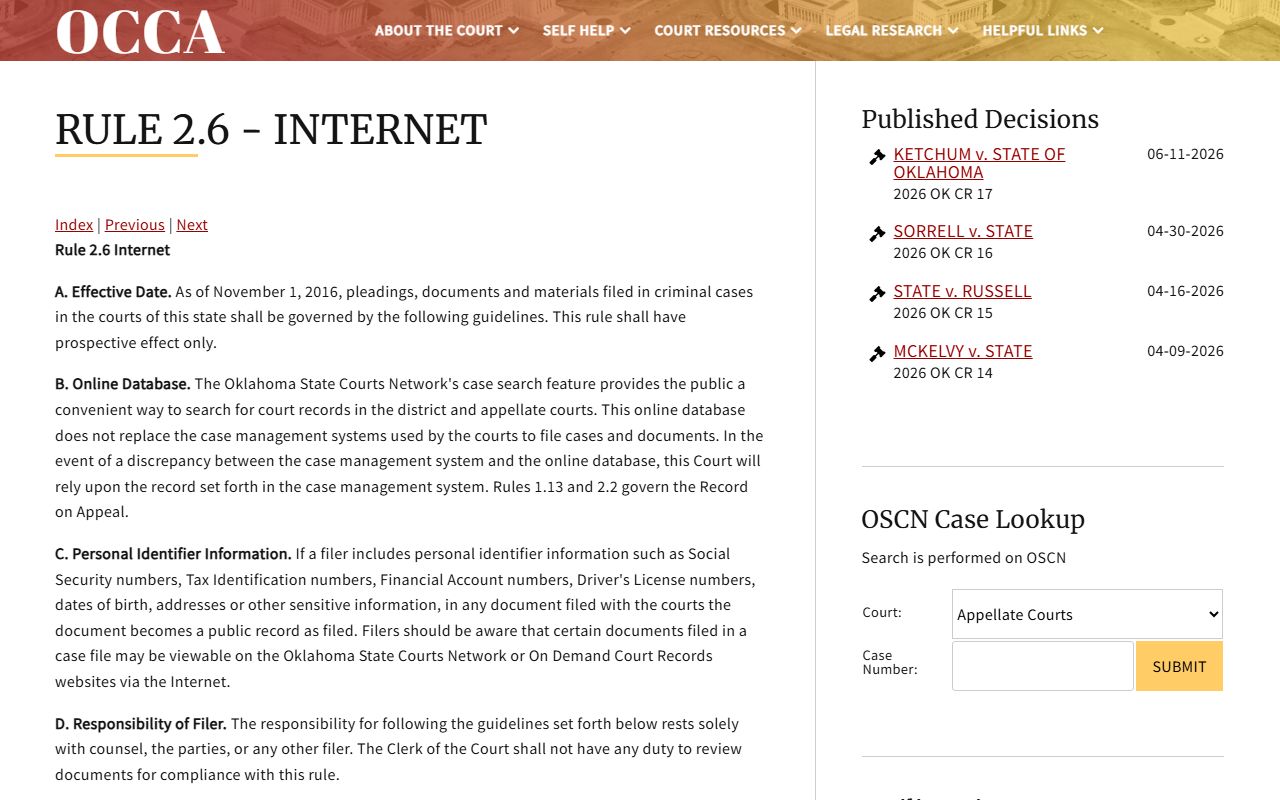
That rule explains why a Major County juvenile, sealed, or expunged matter may not surface in a public docket search even though the case is real. Juvenile court, agency, and law-enforcement juvenile records are confidential under Oklahoma juvenile statutes, and sealed or expunged records require statutory eligibility and a court order before access changes. Personal identifiers, such as juror information, can also be redacted from the online view. When an expected docket does not appear or seems thin, the Major County Court Clerk is the office that can confirm whether a record exists, whether it is restricted, and what it takes to view or certify it.